

Webアプリケーションで簡単な画面遷移と簡単なコードの実装をやってみます!!
今回初めてWebアプリケーションを作成するので手順のキャプチャも載せておきます。
以下、手順を書きます。
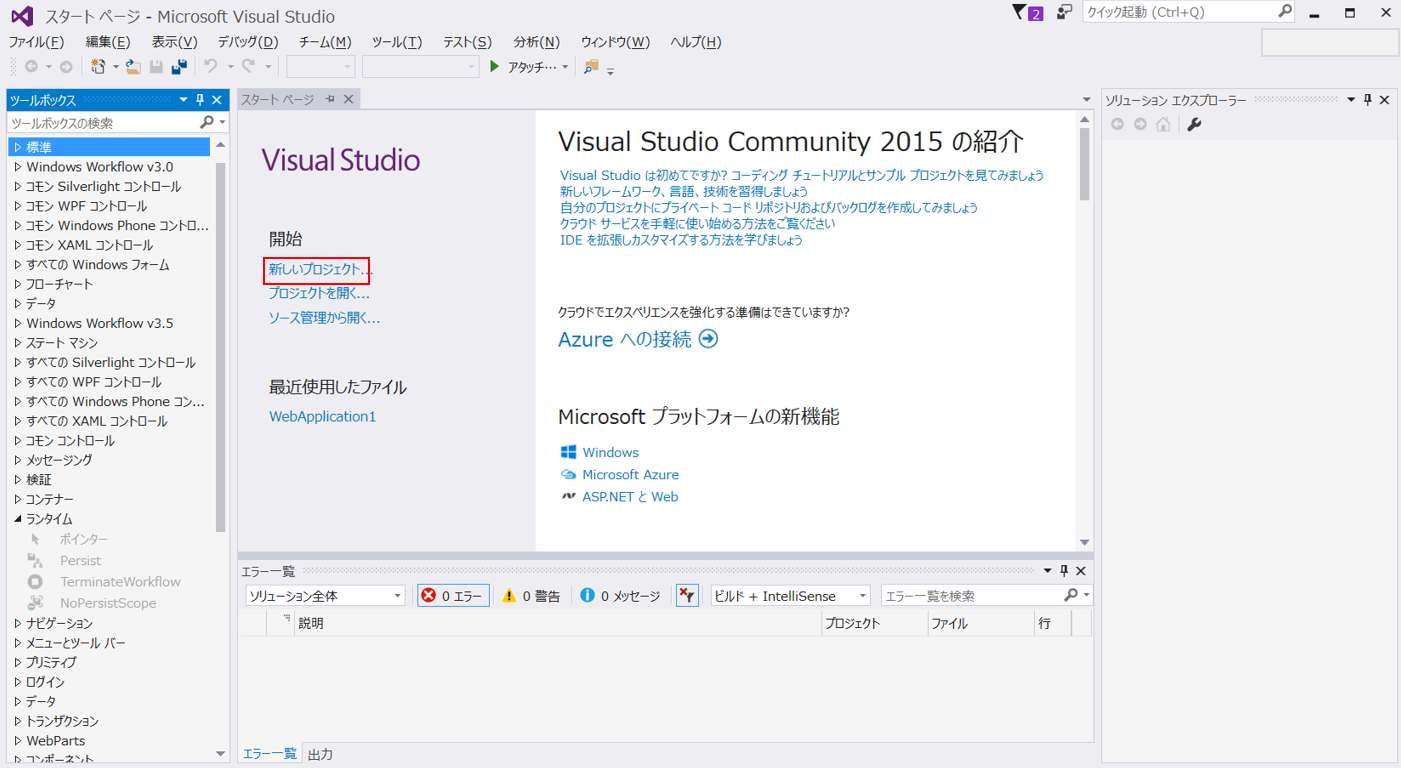
1.「新しいプロジェクト」選択
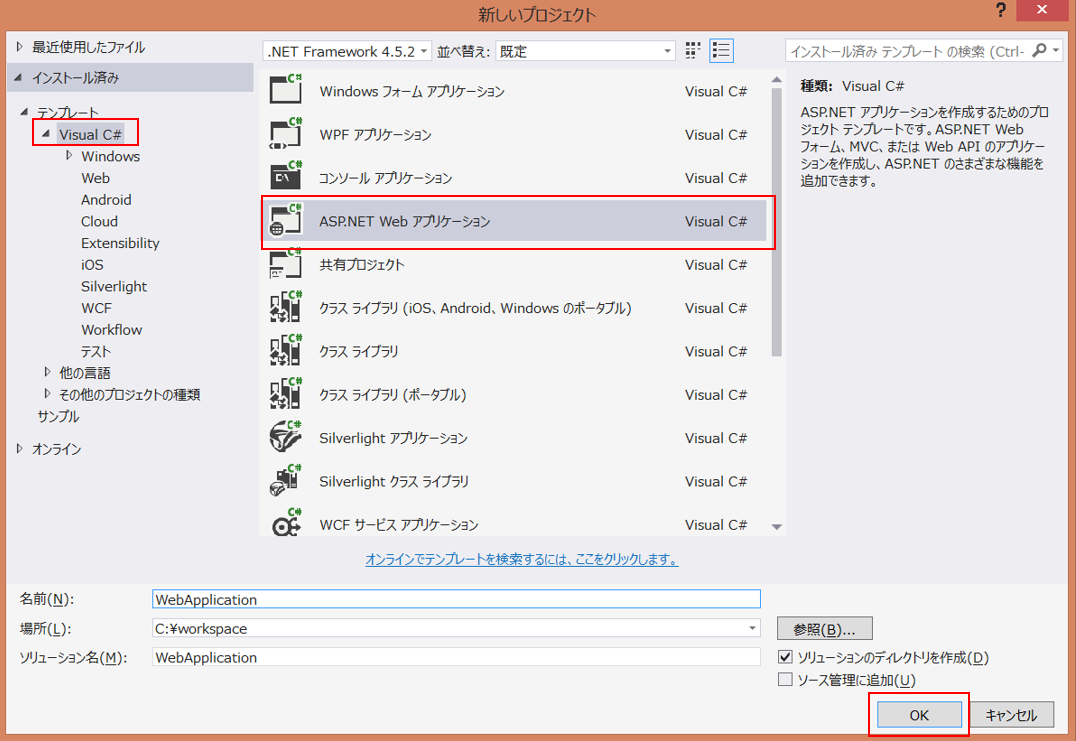
2.「ASP.NET Web アプリケーション」選択
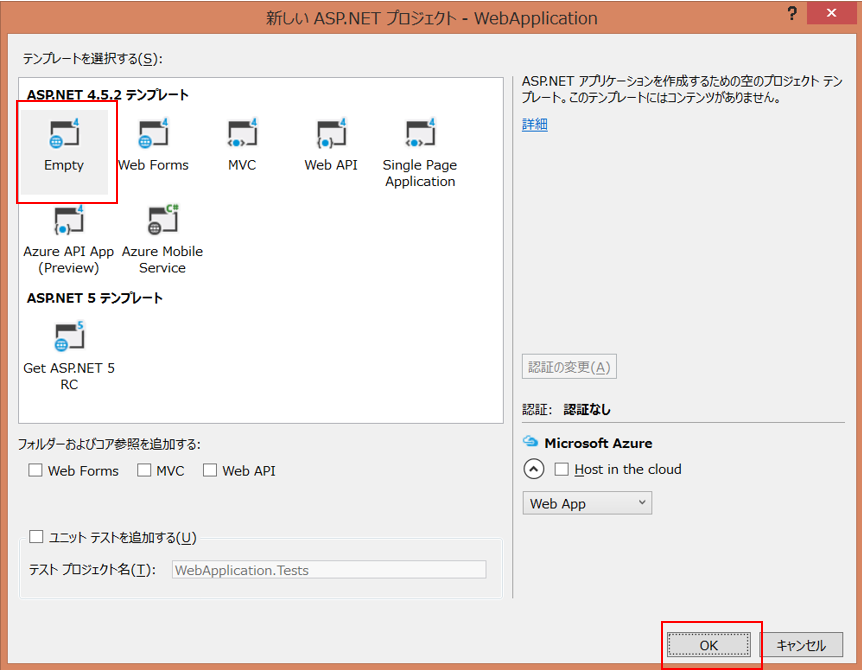
3.「Empty」選択
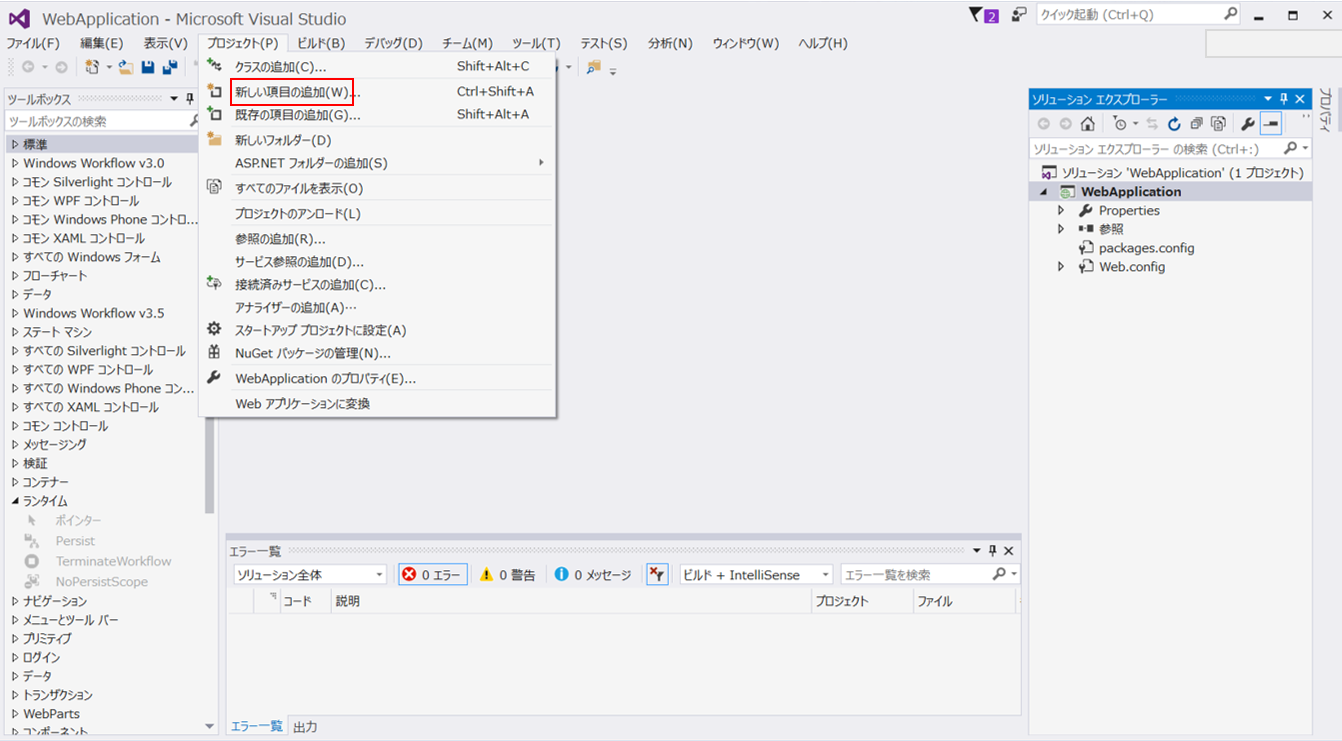
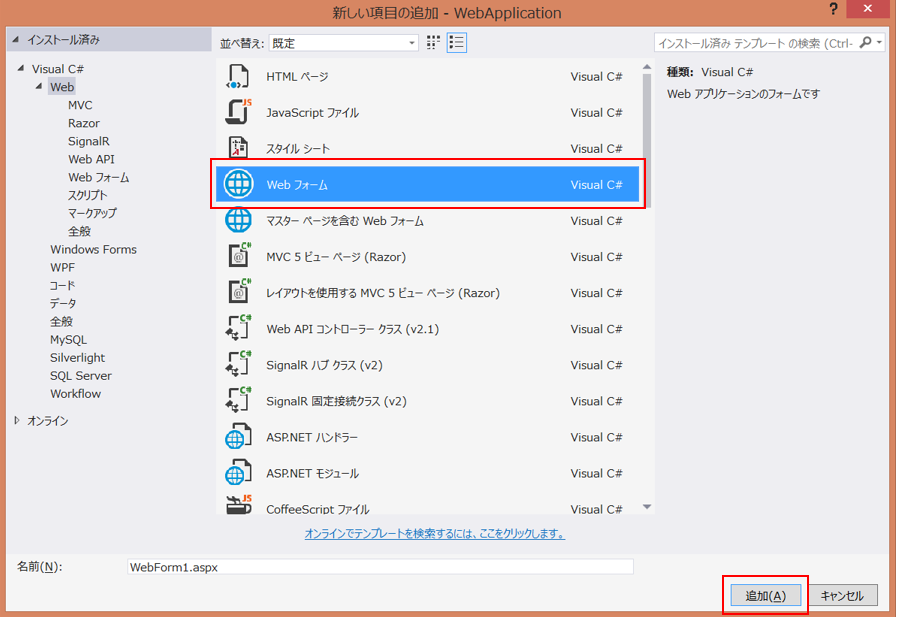
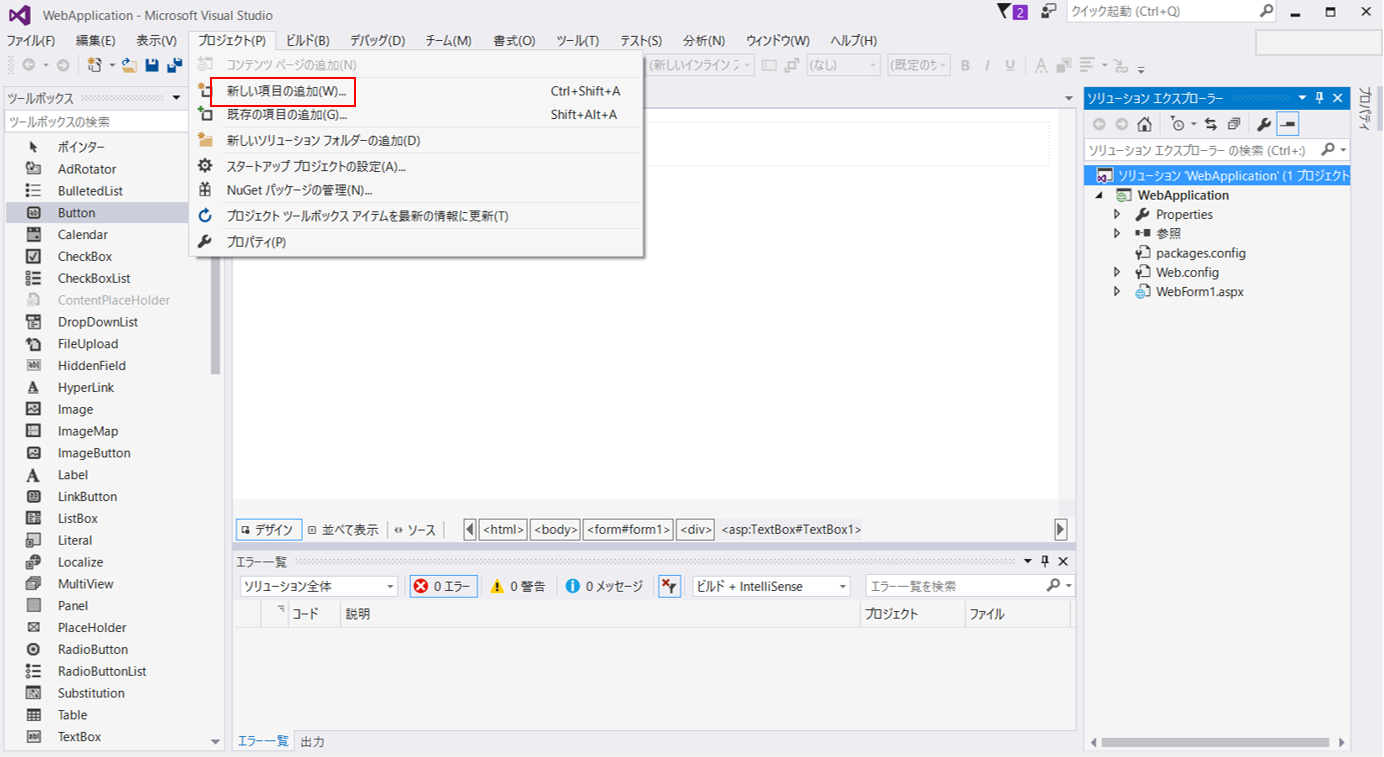
4.「プロジェクト」→ 「新しい項目の追加(W)」選択
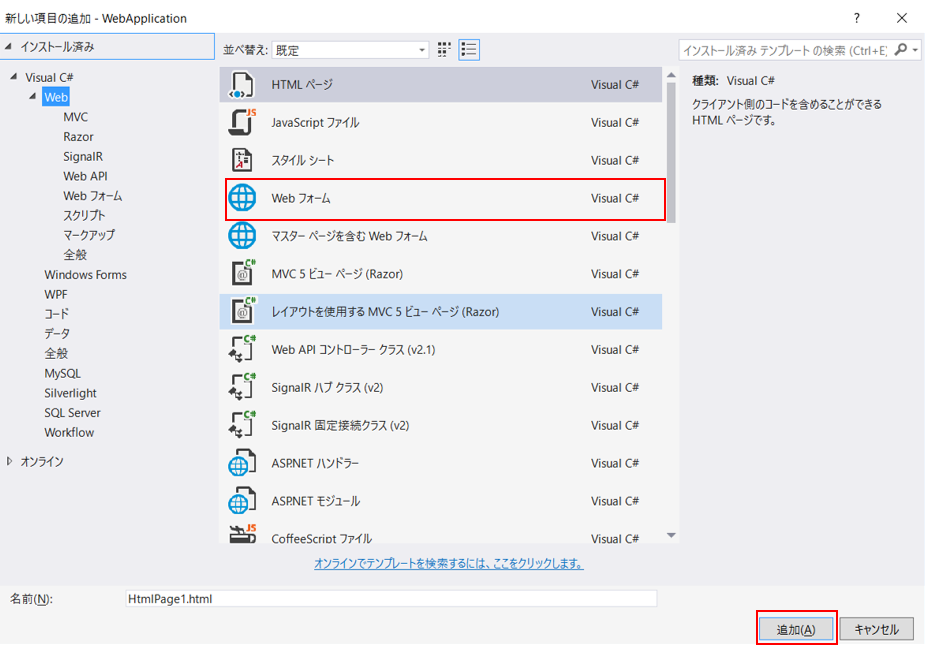
5.「Web フォーム」選択 ※Webフォームの名前は任意
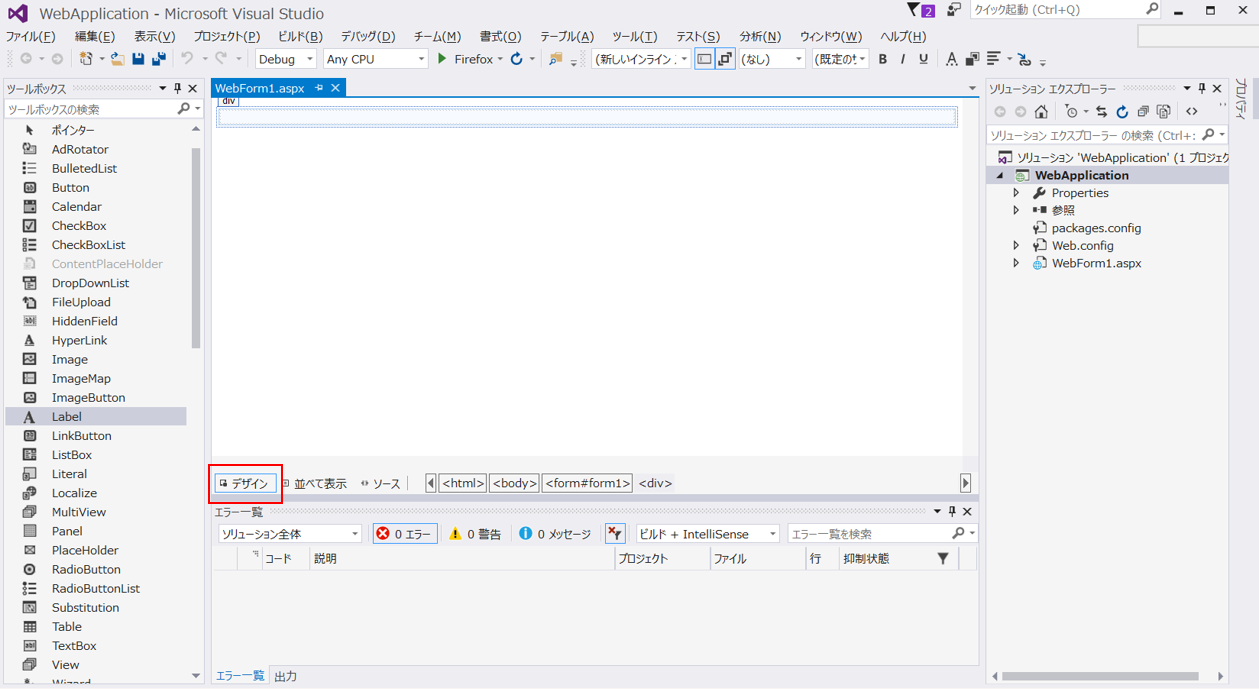
6.「デザイン」選択して下記の画面を表示させます。
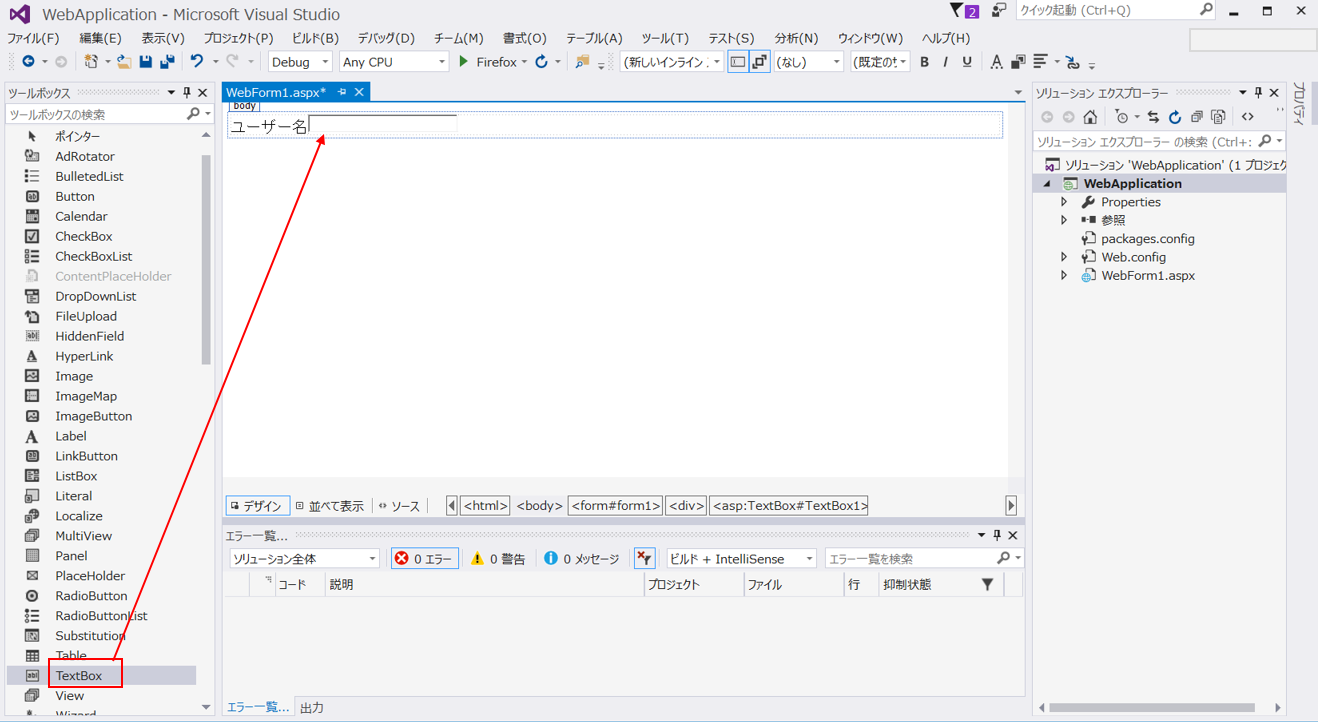
7. 画面にユーザー名と記述して「ツールボックス」からTextBoxを選択してユーザ名の横にドラッグ&ドロップします。
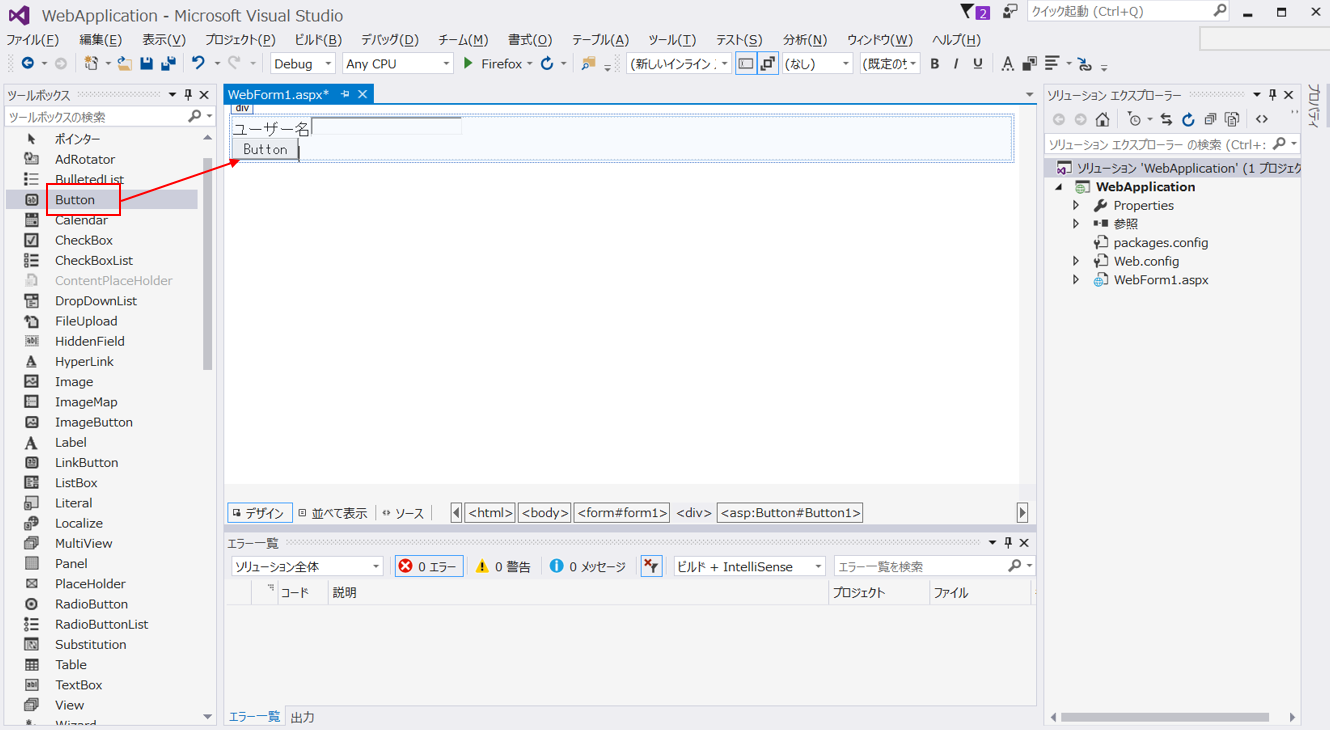
8. Enterで改行を行った後、「ツールボックス」からButtonをを選択してユーザ名の下にドラッグ&ドロップします。
9. 遷移先の画面を作成します。「新しい項目の追加」を選択
10. Webフォームを選択
11. WebForm2.aspxにLabelをドラッグ&ドロップする。
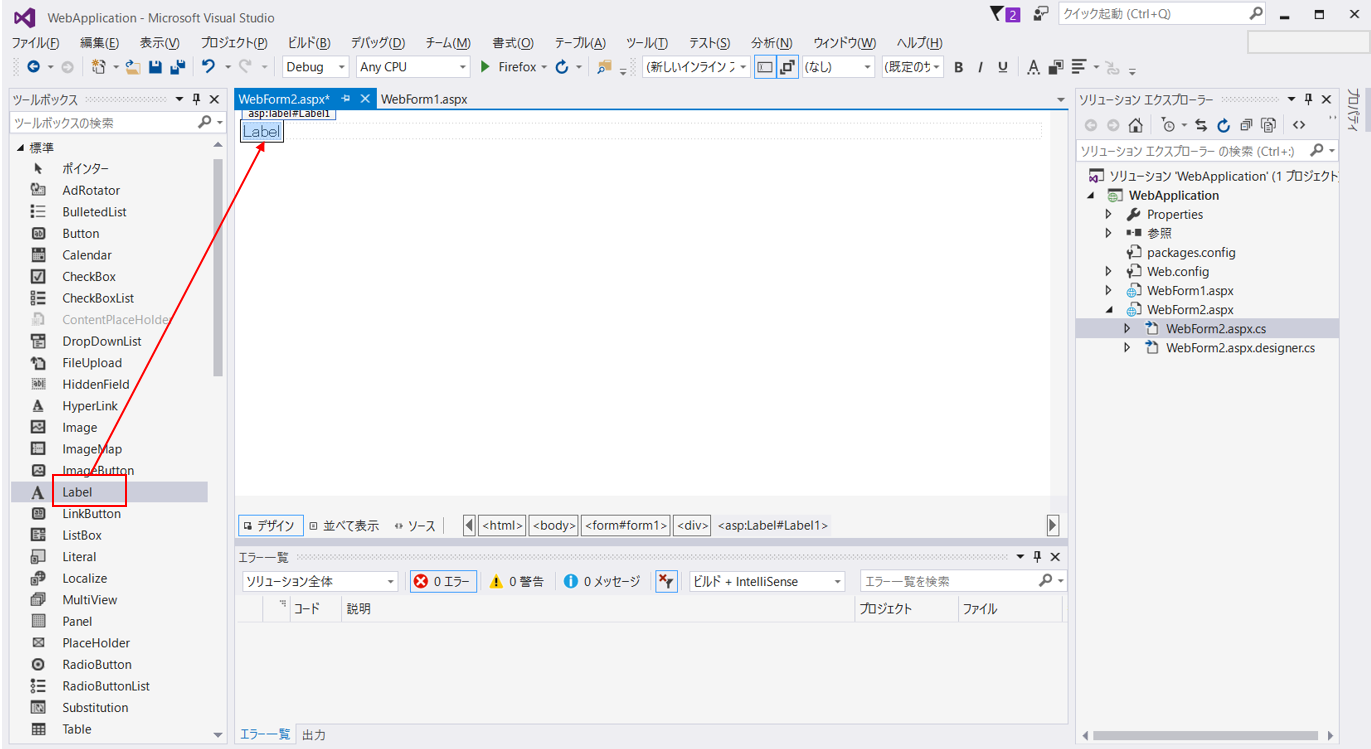
これで画面に表示させる部品は整いました。次はボタンがクリックされた時の動きを実装します。
◆補足
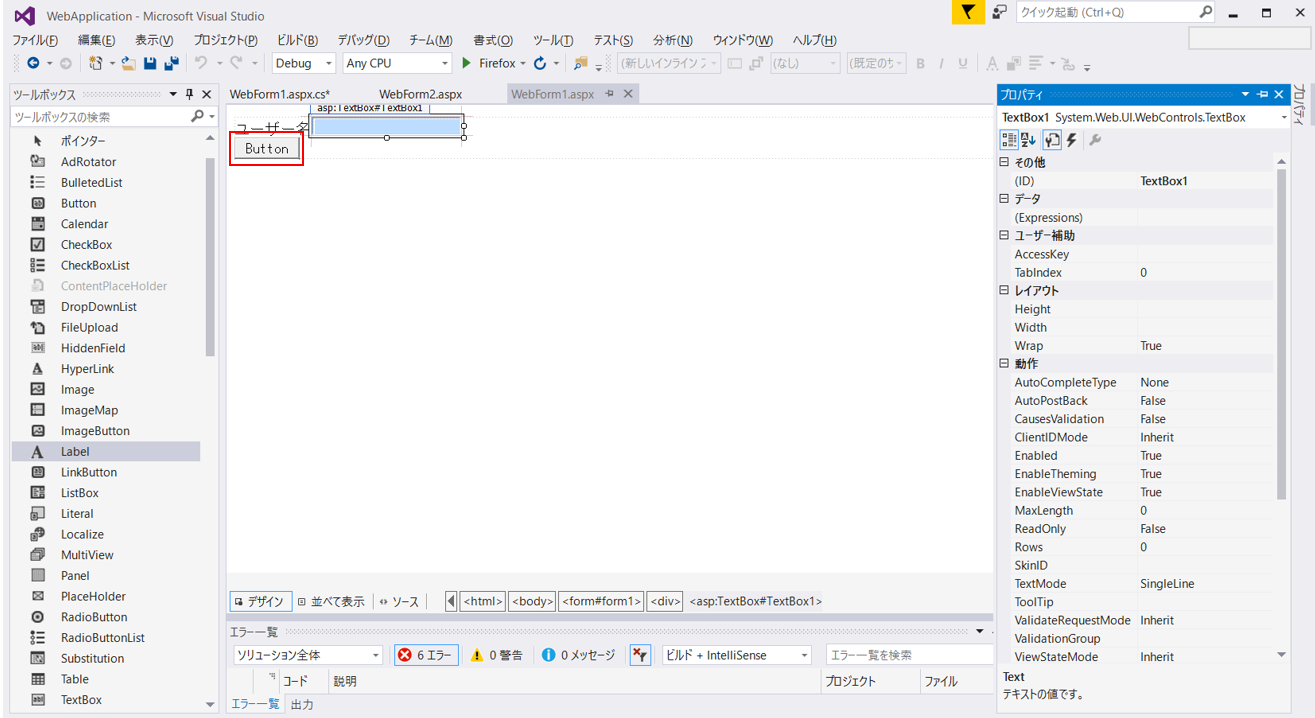
ドラッグ&ドロップしたテキストボックス、ボタン、ラベルはそれぞれプロパティを持っています。
下記の右赤枠を見るとテキストボックスのIDがTextBox1となっています。
このIDを使用してコードを実装します。
※①青枠の縦書きされている「プロパティ」を押すとプロパティ画面が表示されます
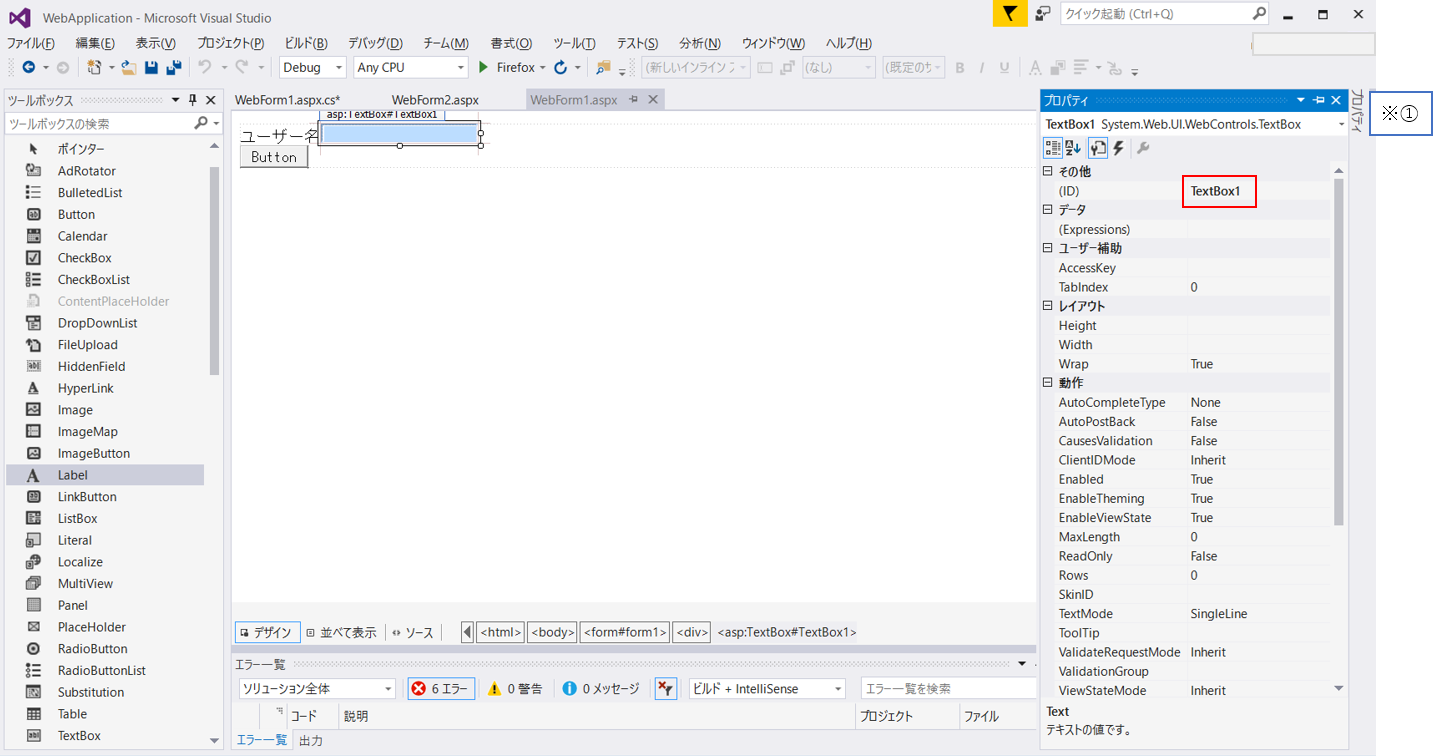
12. ボタンがクリックされた時のコードを実装します。
デザイン画面のButtonをダブルクリックします。
Webフォームのロジックを記述する画面が表示されます。
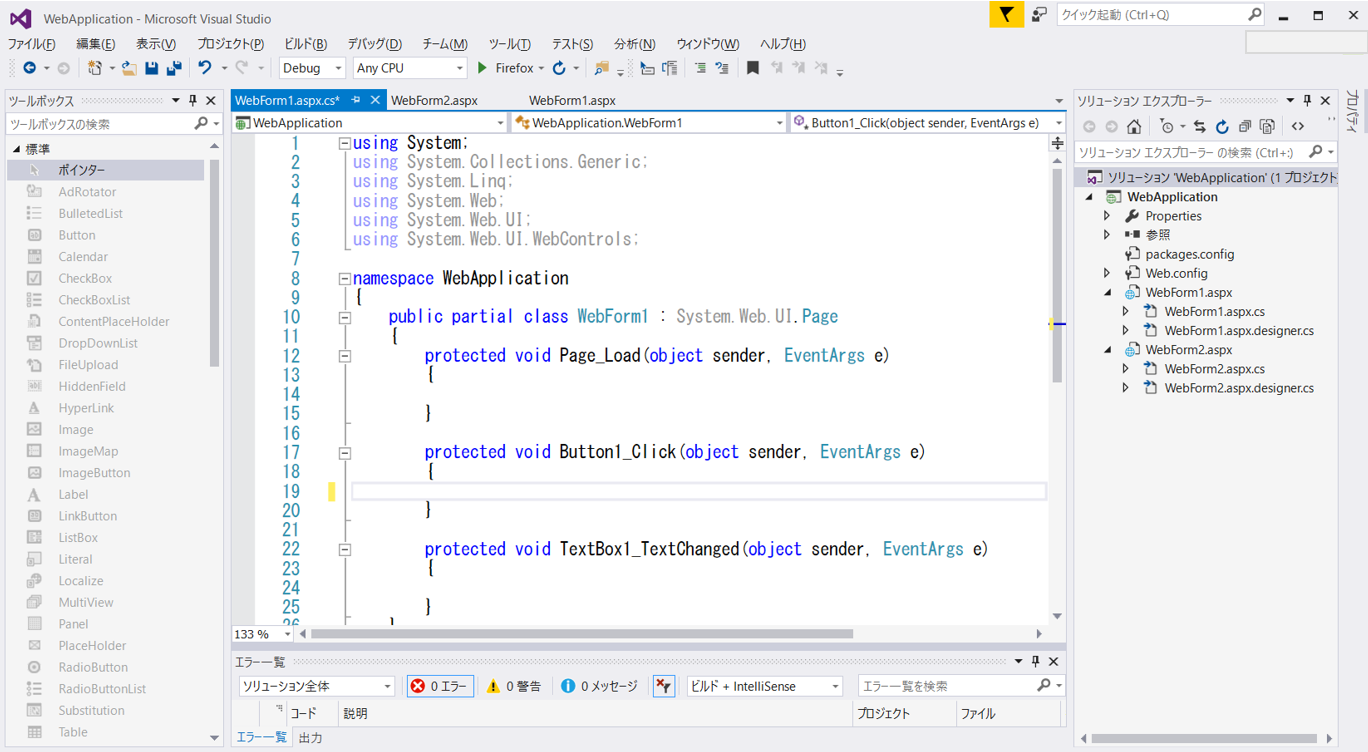
下記のようにソースを記述します。
WebForm1.aspx.cs
using System;
using System.Collections.Generic;
using System.Linq;
using System.Web;
using System.Web.UI;
using System.Web.UI.WebControls;

namespace WebApplication
{
    public partial class WebForm1 : System.Web.UI.Page
    {
        protected void Page_Load(object sender, EventArgs e)
        {

        }

        protected void Button1_Click(object sender, EventArgs e)
        {
            //テキストボックスに入力ありの場合
            if (TextBox1.Text != "")
            {

                Application.Add("Data", TextBox1.Text);
                Response.Redirect("~/WebForm2.aspx");
            }
            else
            {
                //テキストボックスに入力なしの場合
                Application.Add("Data", "入力なし");
                Response.Redirect("~/WebForm2.aspx");
            }
        }

        protected void TextBox1_TextChanged(object sender, EventArgs e)
        {

        }
    }
}
WebForm2.aspx.cs
using System;
using System.Collections.Generic;
using System.Linq;
using System.Web;
using System.Web.UI;
using System.Web.UI.WebControls;

namespace WebApplication
{
    public partial class WebForm2 : System.Web.UI.Page
    {
        protected void Page_Load(object sender, EventArgs e)
        {
            Label1.Text = (string)Application.Get("Data");
        }
    }
}
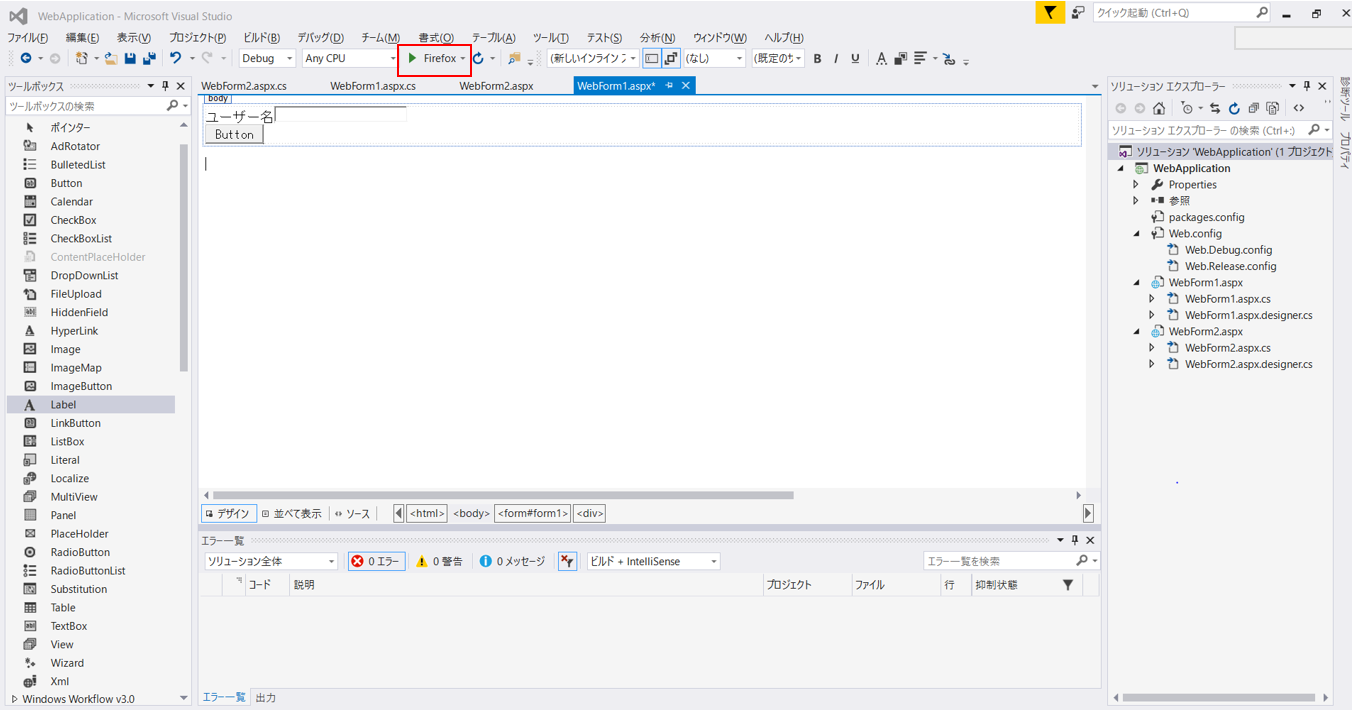
13. 早速実行してみましょう!WebForm1.aspxの画面を開いた状態で、下記赤枠部分をクリックして実行します。
※赤枠部分は任意でブラウザ指定してください。今回はFirefoxを使用します。
14. 「こんにちは!」と入力、ボタンをクリックします。
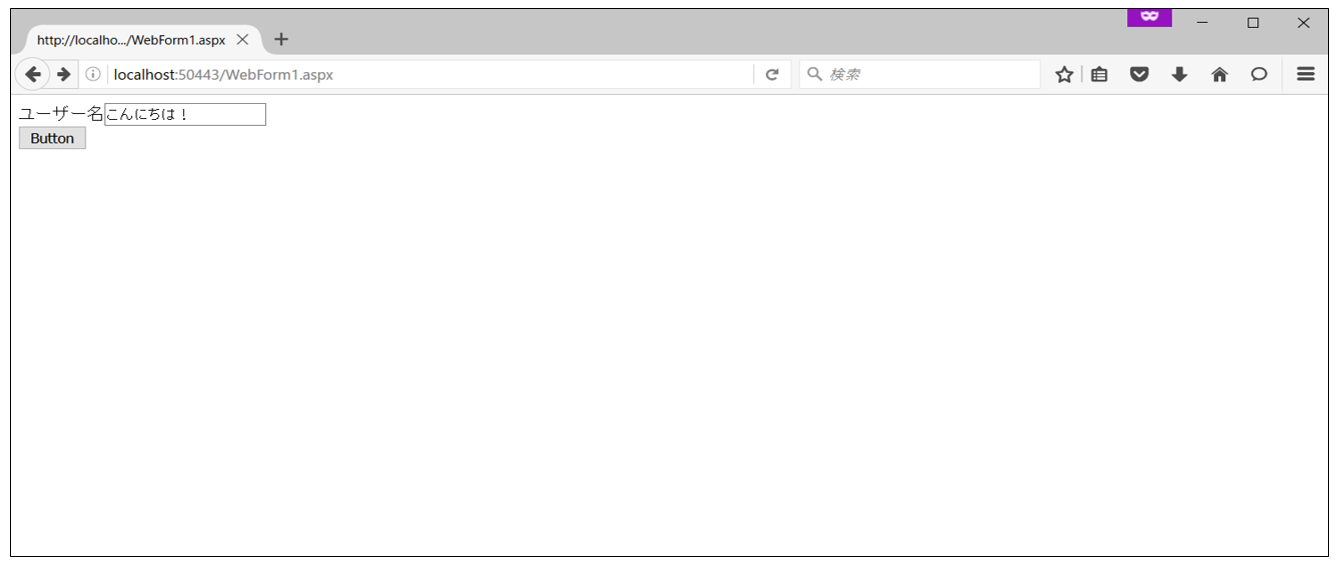
15. 画面遷移が行われ、前画面で入力した内容が表示されました!
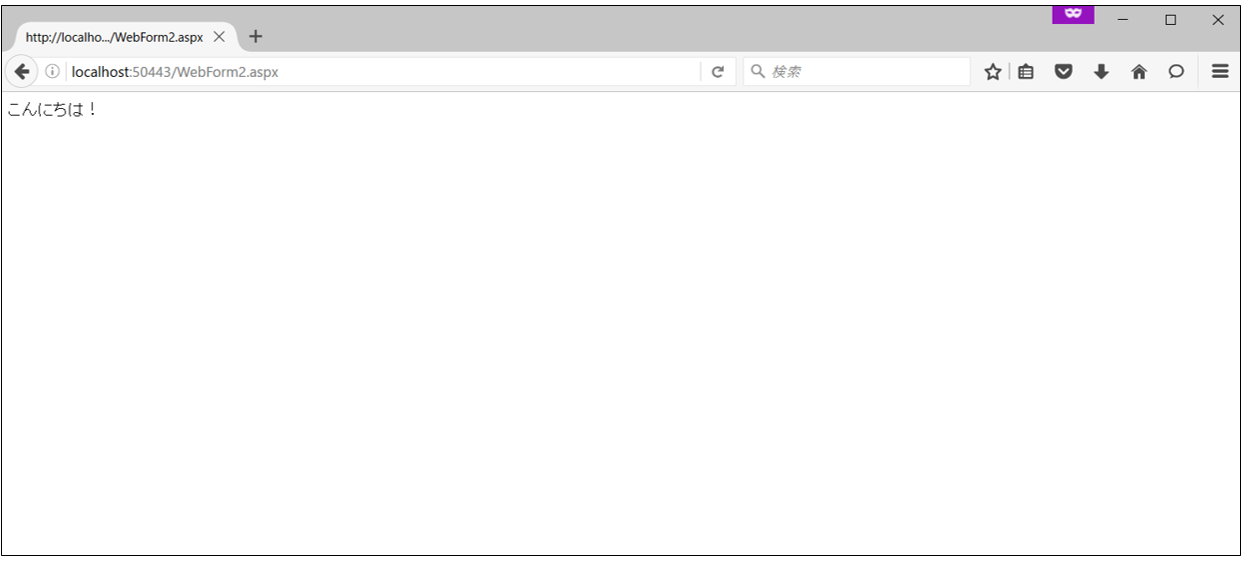
※ブラウザの「戻る」ボタンを押して再度入力しなおすと、キャッシュが残っているため、
再度入力した内容が反映されない場合があります。
![[Flutter] hooks_riverpodを導入](https://it-fukuoka.net/wp-content/uploads/2022/10/flutter_logo_v2-150x150.png "[Flutter] hooks_riverpodを導入")

Every weekend i used to go to see this web site, because i wish for enjoyment, for the reason that this this web page conations actually good funny stuff
too.
Look at my homepage :: หวยเด็ด
Hello there! This post could not be written any better!
Reading through this article reminds me of my previous
roommate! He constantly kept talking about this.
I most certainly will forward this post to him.
Pretty sure he’ll have a good read. Many thanks for sharing!
my homepage; FREE ROBUX (Ira)
Great blog! I am loving it!! Will come back again. I am taking your feeds also adbffebkcbcdbfcb
Thanks for another magnificent post. Where else may just anybody get that kind of info in such a perfect manner of writing? I have a presentation next week, and I’m at the look for such information. bdeeceekbeaa